CSAS Find Update: Enhancing Collaboration, Accuracy & Workflow Efficiency
CSAS Find adds UK EE Timing Advance support, improved case‑view sharing, and a new Primary Contact field for clearer ownership. The update enhances collaboration, data accuracy, and efficiency for investigative teams.

Related content

Celebrating Andrew Hausler’s legacy
Explore the legacy of Andrew Hausler, Co-Founder of Forensic Analytics and co-developer of CSAS, a cornerstone in digital forensic investigations. Learn how his work in systems development and database management helped define modern forensic software and life at FA.

Welcome to the new look for Forensic Analytics
We are excited to announce the launch of our refreshed brand identity and an all-new website.
We’re excited to announce our newest features to CSAS Find, a feature-rich update designed to make investigations smoother, more collaborative, and more efficient. This release brings significant enhancements to data handling, teamwork, and user experience—empowering investigators with more control and clarity than ever.
UK EE Timing Advance (Live Trace) Support
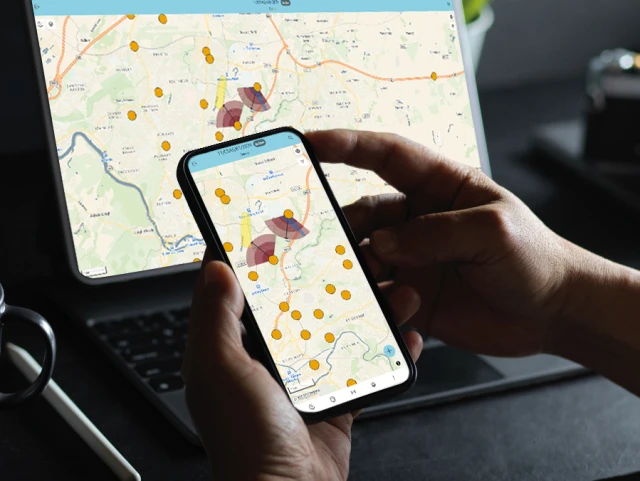
Investigators can now add and import UK EE timing advance data, giving deeper insight into device movements and proximity to cell sites.
Key capabilities include:
Import UK EE timing advance data, with support for identifiers and automatic visualisation for rapid analysis.
Manual entry of timing advance events, supporting verbal information and situations where the data files are unavailable.
Share Your Case View With Colleagues
Collaboration just got easier with the ability to share the exact map view you’re working with.
You can now:
Generate a shareable link to your current case view using Share this view….
Control what’s shared, including cell coverage and travel ranges.
Collaborate in real time, share a live link for continued collaboration.
Share a link alone, or include a map screenshot for colleagues who don’t have CSAS Find access.
New Primary Contact for Each Case
To make case ownership clearer and more consistent, CSAS Find introduces a Primary Contact field, automatically populated using organisational details from Microsoft Entra ID.
What’s changed?
Replaces the previous Supervisor and OIC fields, simplifying ownership and reducing ambiguity.
Automatically populates with the current user when a case is created, using Entra ID details to ensure accurate, up to date information.
Can be reassigned to any CSAS Find user as investigations evolve or responsibility changes.
If you need any assistance, please contact our Support Team through one of the methods below:
Phone: +44 800 158 3830
Email: [email protected]